Samsung G935l G935K G935S G935W8 Convert To Dual Sim Firmware. In This Method, No Need To Flash.No Need To Read Cert And Edit Cert. Only 1 File Which You Can Flash Via Odin Or Any Samsung Other Flash Tool.
Samsung G935l G935K G935S G935W8 Convert To Dual Sim Firmware Is Fix File. add Multi-Language. Remove All Unwanted Apps, Remove Korean Logo, Add Samsung Orignal logo, Extended Message Capacity. Add Samsung Note 8 Themes. Support Dual Sim. Fix No Audio During Call And Add Many More Featured.
How To Flash
1 Turn Off Your Samsung S7 Edge.
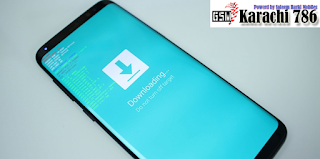
2 Hold Volume Down And Home And Press Power Button When Green Logo Appear Release All Buttons And Press Volume Up Button. Now Your Phone In Download Mode.
3 Install Samsung USB Driver.
4 Now Connect Your Phone To Pc With USB Cable.
5 Open Odin Or Any Other Samsung Flash Tool. Select Samsung S7 edge G935l,k,s dual simfile in AP Tab and Click start Button wait Sometimes.
How To Flashing Firmware Any Flashing Tool And Box Follow Me,
1: Download and Install USB Driver On Your Computer, In Cas, You Have Already Installed Samsung Driver On Your Computer Then Skip This Setup,
2: Download Stock Rom Compatible With Your Device 0r If You Have Already Downloaded Then Ignore Downloading It Again ) And Extract The Firmware It On Your Computer, After Extracting You Will Be Able To See These Kind Of Files,
3: Power Of Your Samsung Device,
4: Now. You Have Boot Into Download Mode, Press And Hold Home Button Vol Down Button And Power Button Wait 4 Second Now You See 2 Option Restart Your Phone Vol Up And Boot To Download Mode Press Vol Down Button Now You Press Vol Download Button Now You See Again Phone Complete Download Mode,
5: Open Odin 3 Or Other Box And Connect Your Phone To The Computer.
6: Once You Have Connected The Phone To The Computer.
7: Open Flashing Box Like (Z3x B0x) (0ctopus) Any Tool Like Odin. Select File PDA Section AP File Wait for 1 Mint Selecting Okay Now On The Start Flashing Button Begin Proces When Flashing Proses Passing Phone Device Automatically Restart,
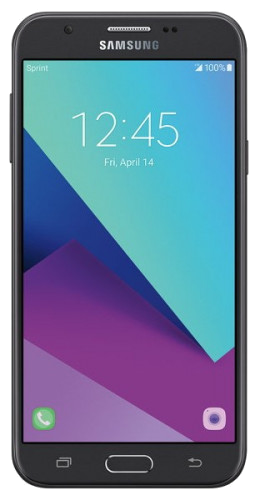
J327P 6.0.1 U4 Convert To J327F Fix Rom [Image: J327P 6.0.1 U4 Convert To J327F Fix Rom] J327P 6.0.1 U4 Convert To J327F Fix Rom J3 (Emarge) Convert to International
J327P 6.0.1 U4 Convert To J327F Fix Rom [Image: J327P 6.0.1 U4 Convert To J327F Fix Rom] J327P 6.0.1 U4 Convert To J327F Fix Rom J3 (Emarge) Convert to International